
Share Dashboards with Your Team: Collaborative Music Tracking is Here
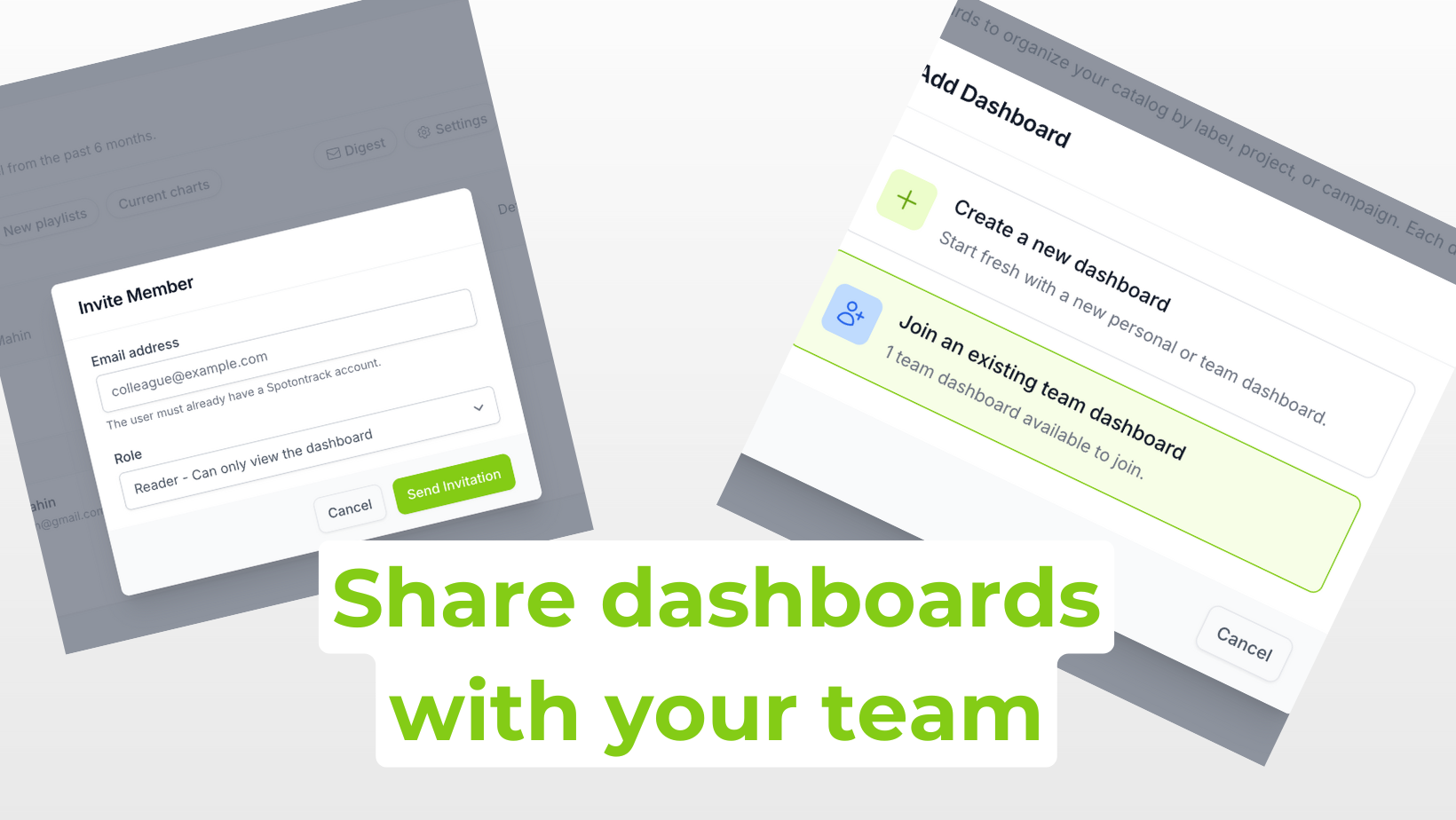
When we launched multi-dashboards earlier this month, we mentioned that dashboard sharing was on our roadmap. Today, we're excited to announce that dashboard sharing is now available, making it easier than ever to collaborate on music tracking with your colleagues, clients, and teams.
Why share a dashboard?
In the music industry, tracking performance is rarely a solo activity. Whether you're working at a label, a distribution company, or a management firm, chances are you need to keep multiple people informed about how tracks and artists are performing.
Until now, this often meant exporting data, sending spreadsheets back and forth, or having everyone maintain their own separate dashboards with the same content. With dashboard sharing, everyone on your team can access the same real-time data, see the same playlist additions, and track the same chart movements - without any extra effort.
Share with individual users
You can now share any of your dashboards with other Spotontrack users. Head to the Members section of your dashboard and click Invite Member. Enter their email address, and they'll receive an invitation to access your dashboard.
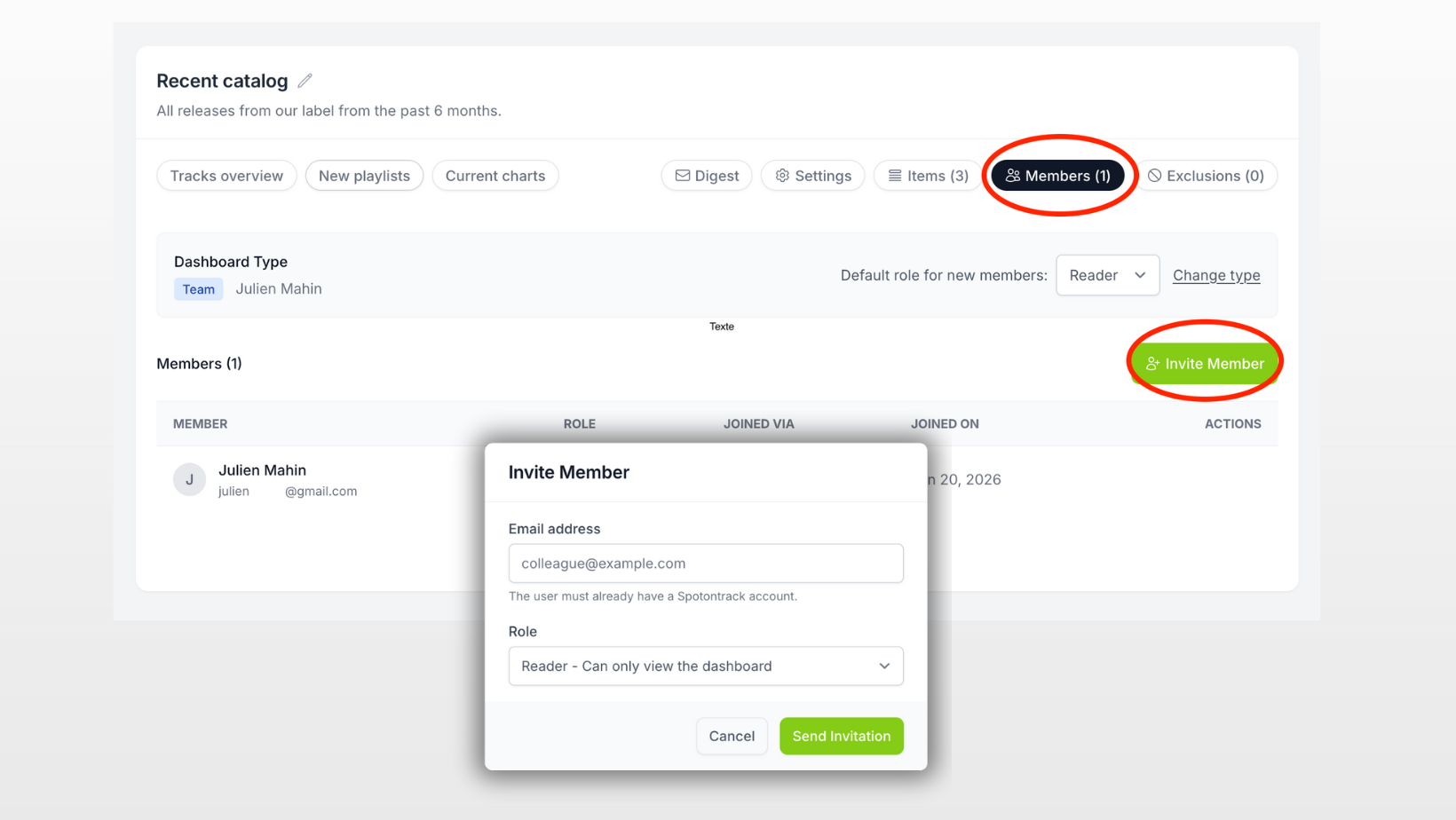
Once they accept, your dashboard will appear in their dashboard list alongside their own personal dashboards. They'll see the same tracks, the same data, and the same updates you do.
This is perfect for:
- Label teams sharing a catalog dashboard with A&R, marketing, and international teams
- Managers sharing an artist dashboard with booking agents and publicists
- Distributors sharing campaign dashboards with their label clients
- Agencies sharing performance reports with artists they represent
Team dashboards for seamless collaboration
If you're on a team plan, dashboard sharing becomes even more powerful with team dashboards. When creating a new dashboard, you can set it as a team dashboard rather than a personal one.
Once a dashboard is marked as a team dashboard, it becomes available to all your team members. When they click "Add Dashboard", they'll see the option to Join an existing team dashboard with the number of dashboards available to join. Selecting this option shows all team dashboards they can join, along with the description and their default role.
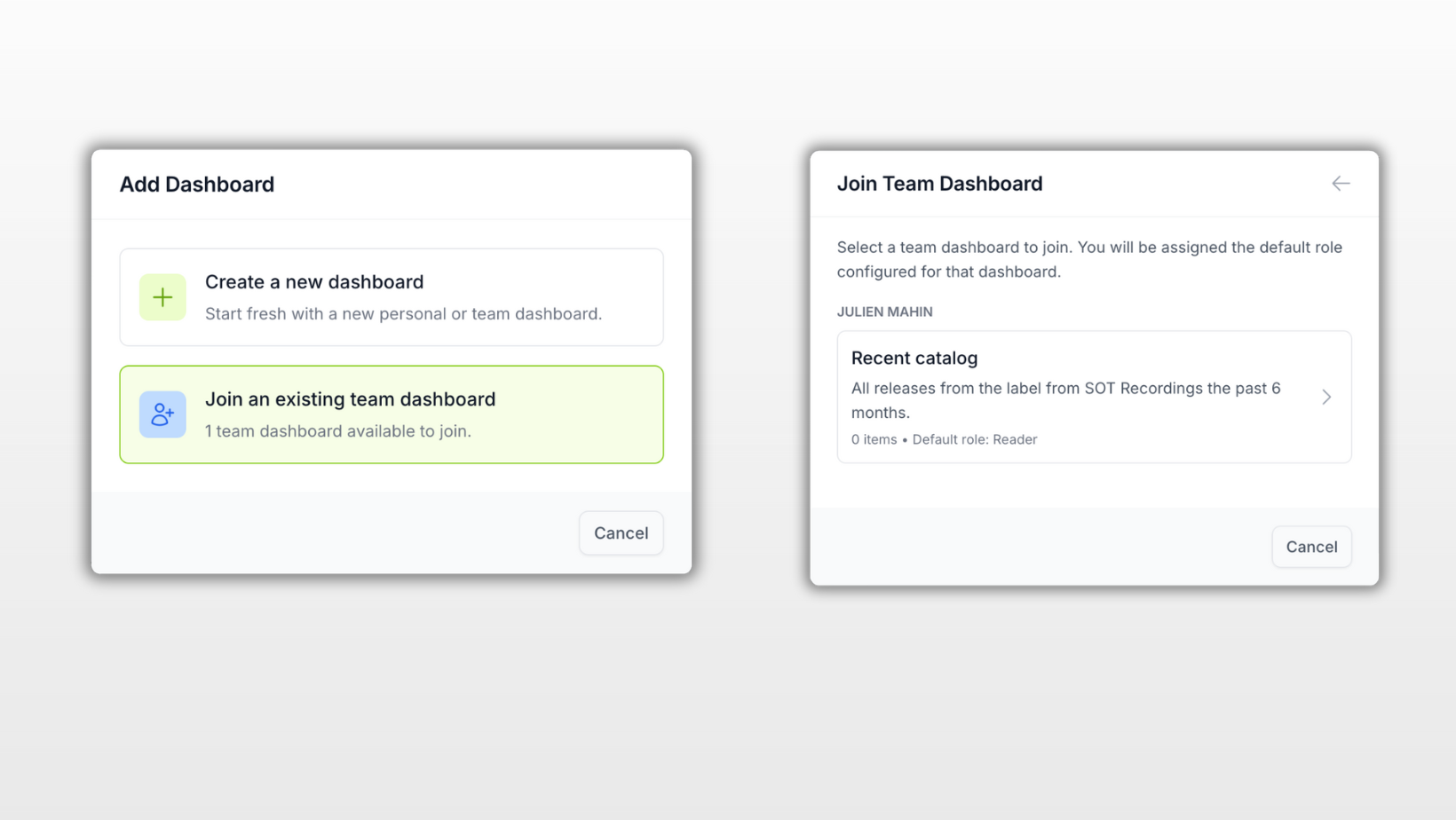
Team dashboards are truly collaborative. Every team member can view all tracks, artists, and albums, add new items, or remove ones they no longer need to track. This eliminates duplicated work - instead of five people maintaining five separate dashboards for the same campaign, you have one shared source of truth.
Daily digest for each dashboard
Each dashboard comes with its own daily digest email. Every user with access to a shared dashboard can independently configure their digest preferences - enable or disable it, choose which days to receive updates - all without affecting others.
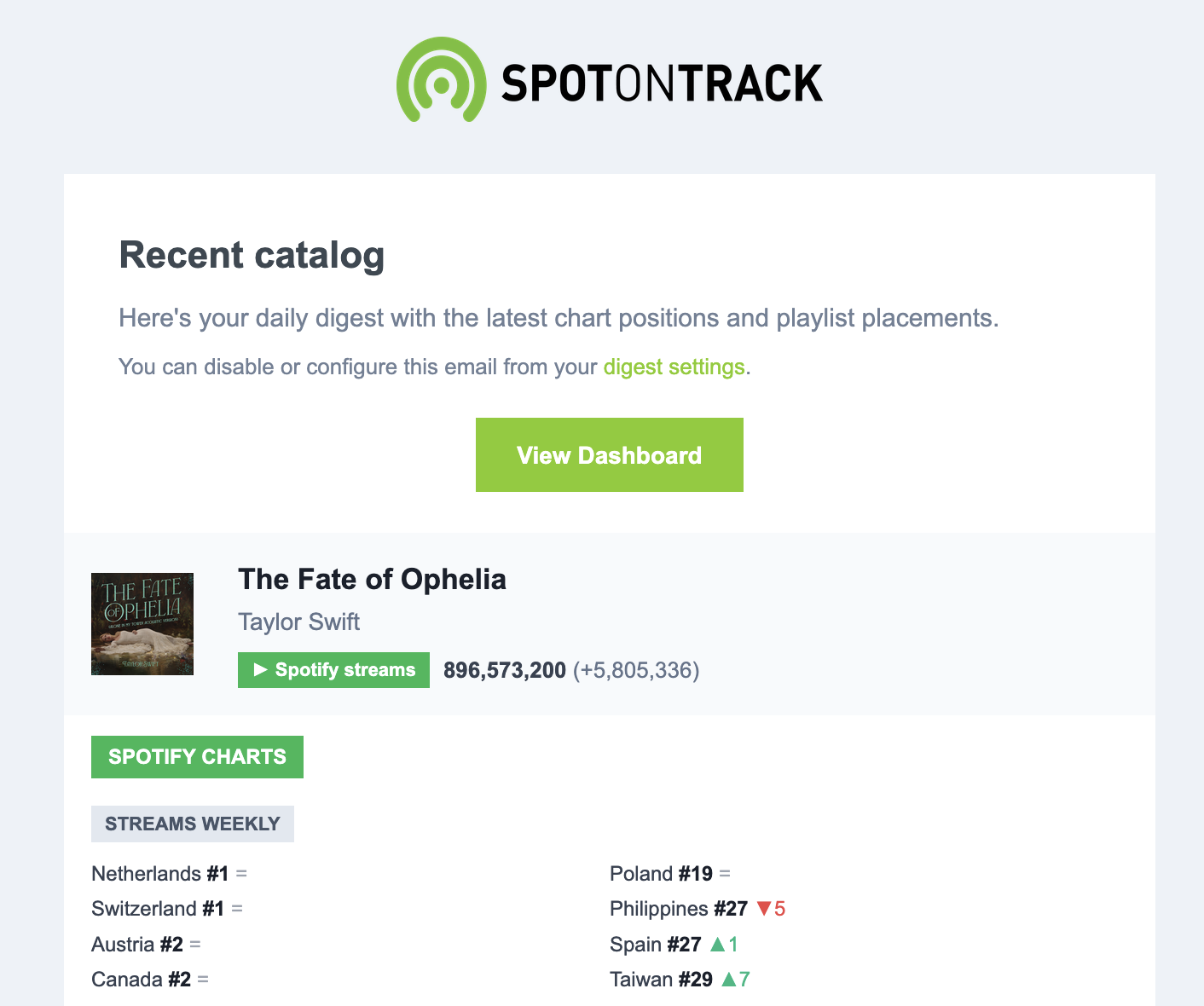
The digest includes:
- Spotify streams with daily changes and trends
- Chart positions across Spotify, Apple Music, Deezer, and Shazam
- New playlist additions with follower counts and positions
- Tracks sorted by daily streams so top performers are always first
Starting your day with a dashboard digest means you arrive at your desk already knowing what happened overnight - which tracks gained momentum, which ones hit new chart peaks, and which playlists picked up your releases.
Getting started
Sharing a dashboard takes just a few seconds:
To share with individual users:
- Open your dashboard and go to the Members section
- Click Invite Member and enter their email address
- They'll receive an invitation and the dashboard will appear in their list once they accept
To join a team dashboard:
- Click Add Dashboard
- Select Join an existing team dashboard
- Choose the dashboard you want to join
- You're in - the dashboard now appears in your list
As always, we'd love to hear how you're using shared dashboards and what would make them more useful for your workflow.